Use CasesProduct security
Spend your time on impact, not setup
Metalware's automated analysis does the triage, so your team can focus on risk and remediation.
Time and scale
Test every binary, not just the ones you had time for
Metalware's automation and depth of analysis enable quality at scale for resource-constrained teams.
How Metalware compares
No source code, hardware, or harness required
| Binary firmware scanners (SCA / SBOM) | Source code analyzers | Protocol fuzzers | Manual RE & pen tests | ||
|---|---|---|---|---|---|
| Tests supplier code without source | Yes | Yes | No | 1Partly (note 1) | Yes |
| Finds unknown vulnerabilities | Yes | No | 2Partly (note 2) | Yes | Yes |
| Automated emulation | Yes | No | No | No | No |
| Static analysis | Yes | Yes | Yes | No | Partly |
| Dynamic analysis | Yes | No | No | Yes | Partly |
| SBOM / SCA | No | Yes | No | No | No |
| Tests every attacker input path | Yes | No | 3Partly (note 3) | 4Partly (note 4) | Partly |
| Finds hangs and resource exhaustion | Yes | 5Partly (note 5) | 6Partly (note 6) | Yes | Partly |
| Every finding verified by running it | Yes | No | No | Yes | Yes |
| Root cause in the code | Yes | Partly | Yes | No | No |
| Re-runnable proof of concept | Yes | No | No | Yes | Partly |
| Deduplicated findings | Yes | Partly | Partly | Partly | No |
| Tests every build automatically | Yes | Yes | Yes | Partly | No |
| No hardware or test bench | Yes | Yes | Yes | No | Partly |
| No setup work | Yes | Yes | Partly | Partly | No |
- 1Note 1: Only tests code reachable from the interfaces it tests
- 2Note 2: Typically high false-positive rates and non-exploitable findings
- 3Note 3: Only with manually configured inputs
- 4Note 4: Only interfaces with a test suite
- 5Note 5: Only known CVEs in identified components
- 6Note 6: Only some classes, such as deadlocks and leaks
Firmware analysis today
Where engagement time actually goes
Each step needs unique tools and expertise today. Metalware automates that work, letting your experts focus on the prioritization and fixes, not discovery.
Multiple techniques
Static and dynamic analysis
Step 1: Fuzz every input
Metalware feeds generated data into every input the firmware reads from its peripherals. Inputs that reach new code are kept and varied to extend coverage.
Step 2: Check code paths
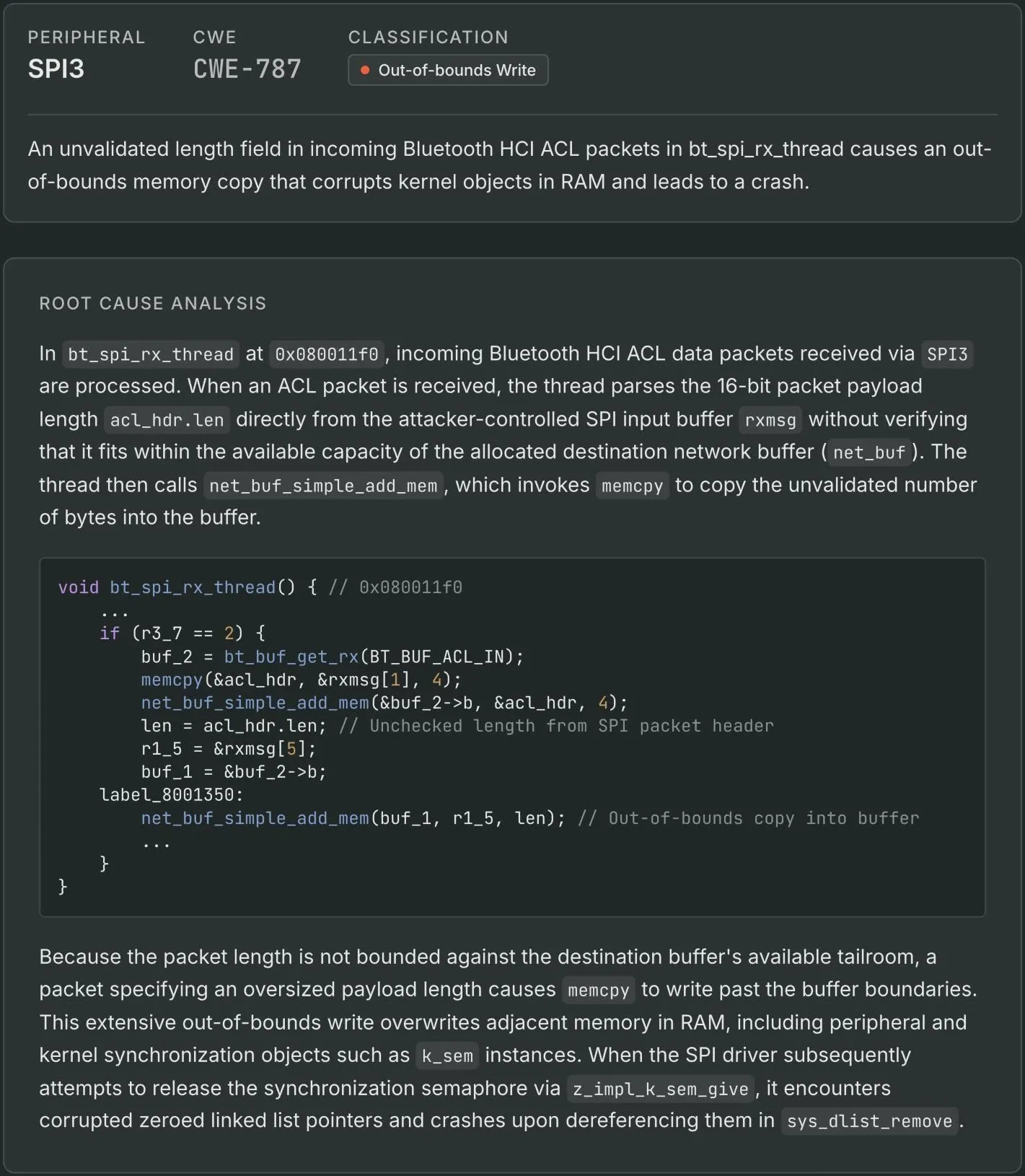
Static analysis follows input data through the recovered code to risky operations. All static findings are reproduced in emulation to reduce noise.
Step 3: Deduplicate and replicate
Crashes with the same root cause are consolidated into a single finding. POCs are generated that can run in GDB, Ghidra, or Binary Ninja.
Result quality
AI built for firmware, empowered with deterministic tools
Metalware uses custom agents designed specifically for firmware analysis, and gives them both guardrails and tools.
Together they push the frontier of automated firmware analysis far beyond a general-purpose AI model.
All security findings are validated against the emulator to avoid hallucinations, noise and false positives.
Keep reading
Read next
Research
- How We're Automating Firmware Fuzzing How Metalware works out what a binary is, sets up an emulator and fuzzes it.
- Automating Peripheral Map Discovery on Monolithic Firmware Recovering the peripheral map of an unknown chip from its firmware alone.
- A high-throughput model for recovering global objects in monolithic firmware A model trained to recover global objects in stripped firmware.